
Staff dashboard
Everything your team needs, open in one tab.
Today's bookings, pending invoices, open support tickets and key metrics — all on one screen. Your team sees what needs attention the moment they log in and acts from the same screen without clicking through menus.
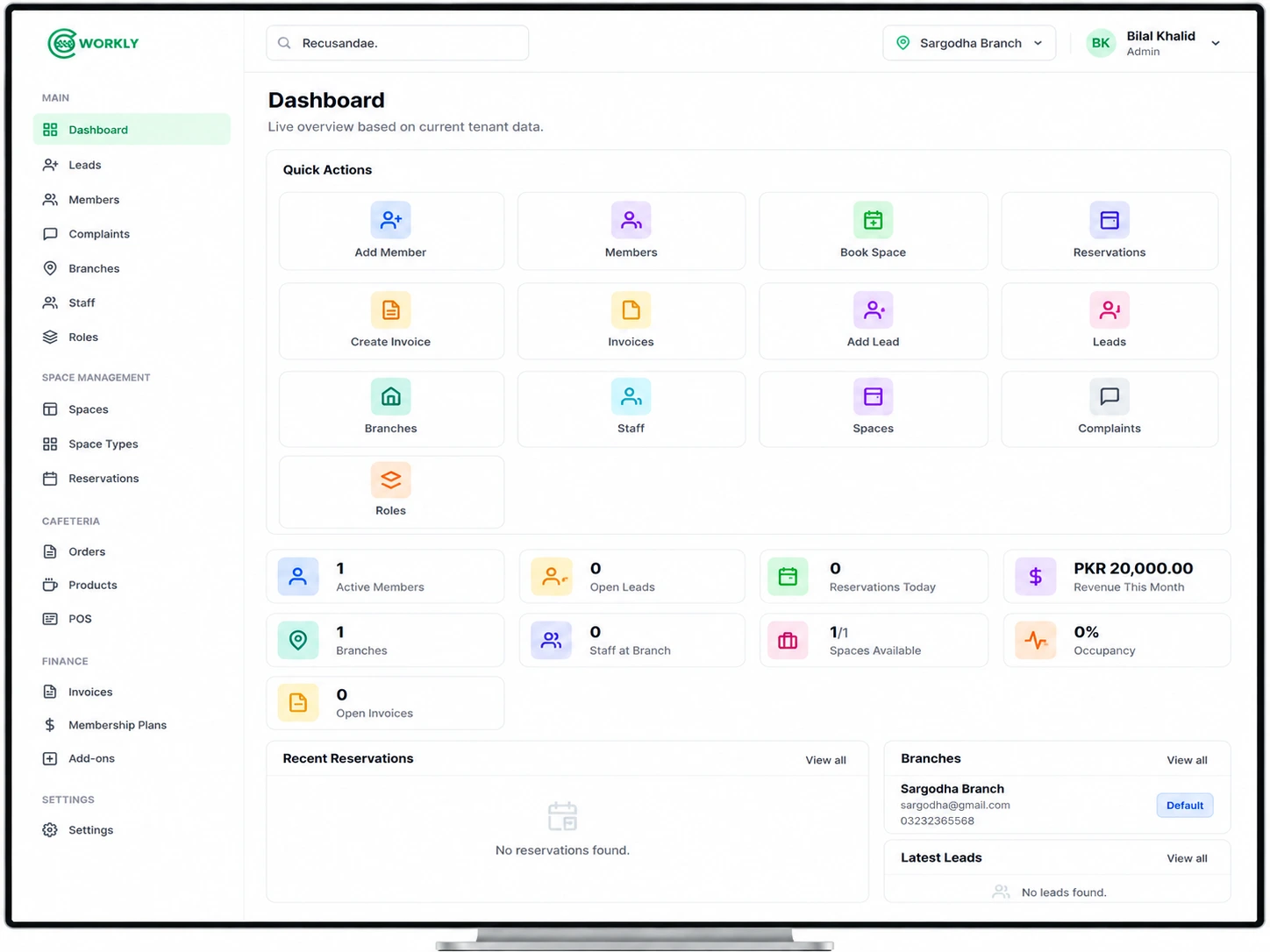
See the staff dashboard in action.
A walkthrough of the CoWorkly staff dashboard — live KPIs, today's activity and quick actions your team uses every day.

What your team sees when they log in.
-
Today's bookings
Who is coming in today, which rooms are booked and any check-ins your front desk needs to handle right now.
-
Key metrics
Active members, monthly revenue, desk occupancy and new leads at a glance — updated in real time so the numbers are always accurate.
-
Outstanding invoices
Overdue invoices and the total outstanding amount so your team knows which members need a follow-up today.
-
Open support tickets
Unassigned and overdue tickets your team needs to action — visible without navigating to the support section.
-
Recent activity
New members, recent payments and bookings made since your last login — so your team is always caught up when they start their day.
-
Quick actions
Add a member, create an invoice, make a booking or post an announcement — common tasks are one click away from the dashboard.
Questions about the staff dashboard.
Is the dashboard different for each staff role?
Yes. What staff see on their dashboard depends on their role and permissions. A receptionist sees today's bookings. An accountant sees invoices. An owner sees everything.
Does the dashboard update in real time?
Yes. Bookings, payments and tickets update live. Your team sees the current state of your space every time they look at the screen.
Can I see the dashboard for a specific branch?
Yes. In a multi-branch setup, the dashboard is scoped to the branch you are currently managing. Admins and owners can switch between branches at any time.
Give your team a command centre for your space.
See the CoWorkly staff dashboard in a live demo.