
Billing
Automated billing that keeps cash flowing.
Generate invoices, collect payments and chase overdue accounts without leaving CoWorkly. Every billing cycle runs on its own — you step in only when you choose to.
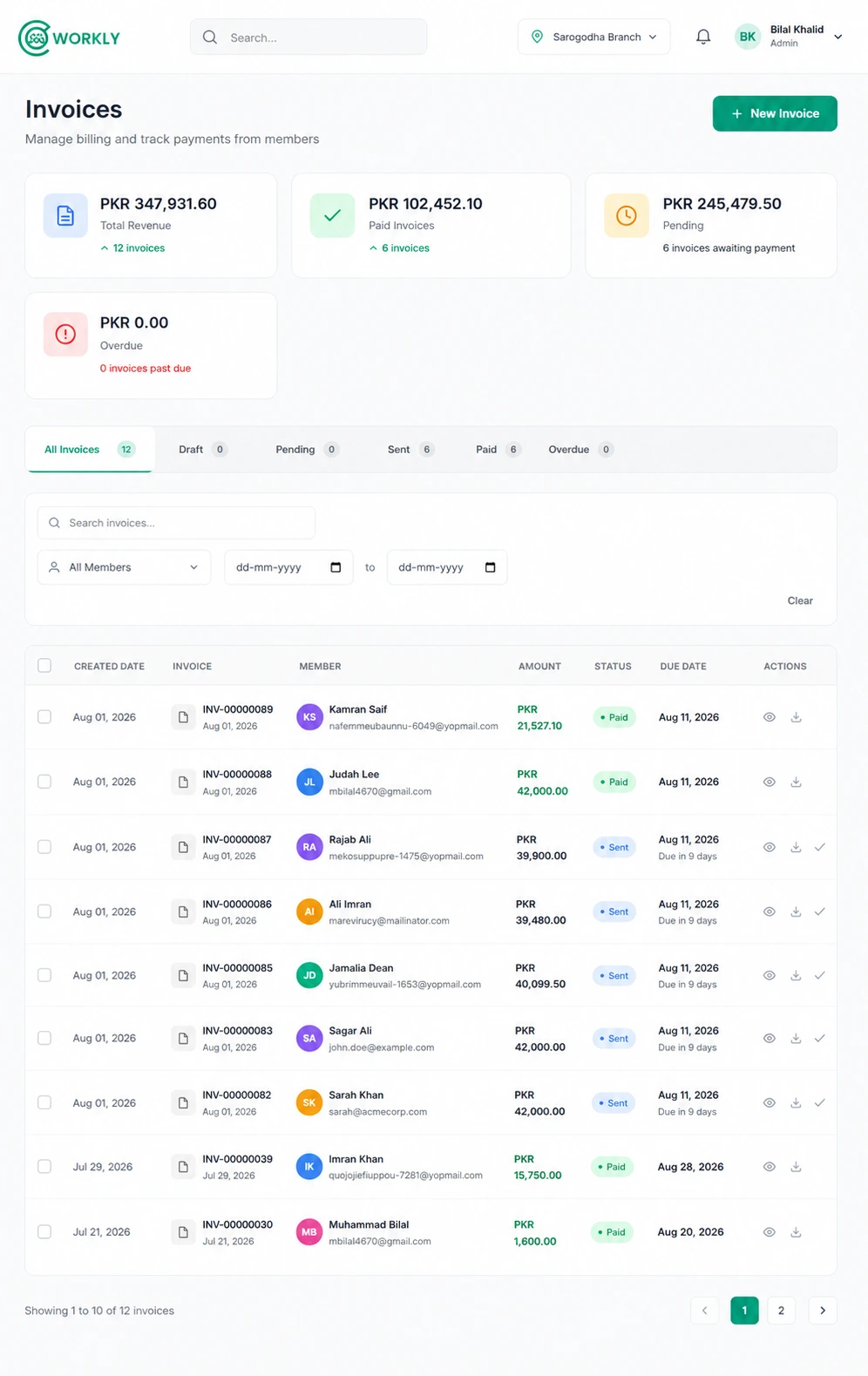
See billing in action.
A short walkthrough of automated invoice generation, payment collection and overdue reminders in CoWorkly.

How billing works in CoWorkly.
Set it up once. CoWorkly handles the rest every billing cycle.
-
Assign a plan
Give each member or company a membership plan with a price and billing frequency — monthly, quarterly or annually. CoWorkly records the start date and calculates the next invoice date automatically.
-
Invoice is generated
At the end of each billing cycle, CoWorkly creates a branded invoice with the right line items, tax and any applied discounts. It is sent to the member by email with a payment link.
-
Member pays online
The member clicks the link in their invoice email or opens the member portal, and pays by card through Stripe. The payment is recorded and the invoice is marked paid.
-
Overdue reminders go out
If an invoice is not paid by the due date, CoWorkly sends overdue reminders on your schedule. You decide how many and how often — no manual chasing needed.
Every billing tool your space needs.
From recurring invoices to one-off charges — CoWorkly covers it all.
- Recurring invoices generated automatically at each billing cycle.
- One-off invoices for event fees, deposits or ad-hoc charges.
- Stripe payment links embedded in every invoice email.
- Tax rates per plan or per invoice line item.
- Discounts applied as a fixed amount or percentage on any invoice.
- Partial payments recorded against an invoice so the outstanding balance is always visible.
- Full payment history per member and per company.
Everything in the billing module.
-
Plans & pricing
Create unlimited plans with any price, billing interval and included resources. See membership plans.
-
Automated invoicing
Invoices are generated and emailed at the end of each billing cycle without any manual step. See invoicing.
-
Stripe payments
Members pay by card online. CoWorkly records the payment and updates the invoice status. See payments.
-
Overdue reminders
Automatic reminder emails sent on a schedule you set when invoices go past due. See payment reminders.
-
Discounts & promo codes
Apply percentage or flat-rate discounts to any invoice or plan. See discounts.
Questions about coworking billing.
How does automated billing work?
You assign a plan to a member. At the end of each billing cycle, CoWorkly generates the invoice, applies any discounts or taxes, and sends it to the member by email. No manual work is needed unless you choose to get involved.
Which payment methods does CoWorkly support?
CoWorkly integrates with Stripe, so members can pay by card — credit or debit. You can also record manual payments, such as bank transfers or cash, against any invoice.
Can I bill companies instead of individual members?
Yes. If a company has multiple members, the invoice can be sent to the company's billing contact rather than each individual. The company sees all their invoices in one place.
What happens when an invoice is overdue?
CoWorkly sends overdue reminder emails on a schedule you configure — for example, three days after the due date, then seven days, then fourteen. You can also see all overdue invoices in the billing dashboard.
Can I add extra charges to an invoice?
Yes. You can add one-off line items to any invoice for things like printing credits, event fees or deposits. Each line item has its own description, quantity, unit price and tax rate.
Stop chasing payments. Start growing.
See how CoWorkly automates your entire billing cycle in a live demo.