
Invoicing
Professional invoices, sent automatically.
CoWorkly generates a branded invoice for every billing cycle, applies tax and discounts, and sends it to your member's inbox. No manual work, no forgotten invoices, no end-of-month scramble.
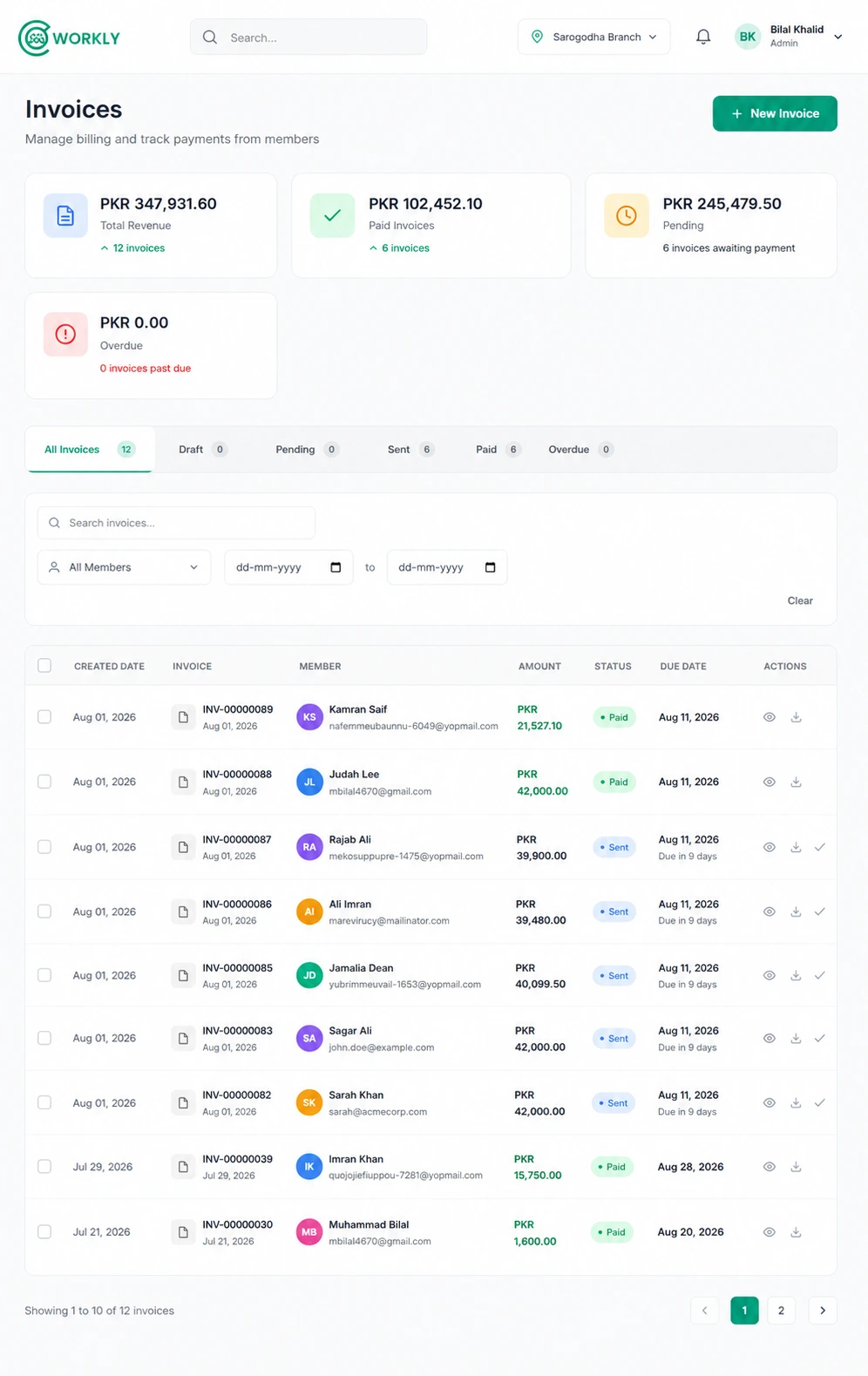
See invoicing in action.
Watch how CoWorkly automatically generates, brands and sends invoices at the end of each billing cycle.

Everything on every invoice, handled for you.
From branded PDF to payment link — CoWorkly builds the whole invoice.
- Automatically generated at the end of each billing cycle per member plan.
- Your logo, brand colors and space name on every invoice PDF.
- Line items for plan fees, add-ons, meeting room usage and one-off charges.
- Tax applied per line item or at the invoice level, with multiple tax rates supported.
- Discounts deducted automatically before the total is calculated.
- A Stripe payment link embedded so members can pay in one click from the email.
- Invoice number sequence that matches your own numbering format.
Invoicing that works the way your space works.
-
Recurring & one-off
Recurring invoices run automatically. Create one-off invoices manually for deposits, events or ad-hoc charges at any time.
-
Company invoicing
Bill a company's billing contact instead of each individual member. The company receives one invoice covering all their seats.
-
Invoice history
Every invoice ever sent to a member or company lives on their record — paid, unpaid and void — with the date and amount.
-
Manual overrides
Edit a generated invoice before it is sent, add a line item, adjust a price or apply a credit note. You stay in control.
Questions about invoicing.
Can I put my own logo on invoices?
Yes. Every invoice is generated with your space's name, logo and brand colors. Members see your branding, not CoWorkly's.
Can I send an invoice manually?
Yes. You can create and send a one-off invoice to any member at any time, in addition to the automatic recurring invoices.
What happens if I need to correct an invoice after it is sent?
You can void a sent invoice and issue a corrected one. The original stays on record so there is always a full audit trail.
Can I set different tax rates for different members?
Yes. Tax rates can be applied at the plan level, the line item level, or overridden on an individual invoice.
Never send an invoice manually again.
See how CoWorkly automates your entire invoicing cycle in a live demo.